





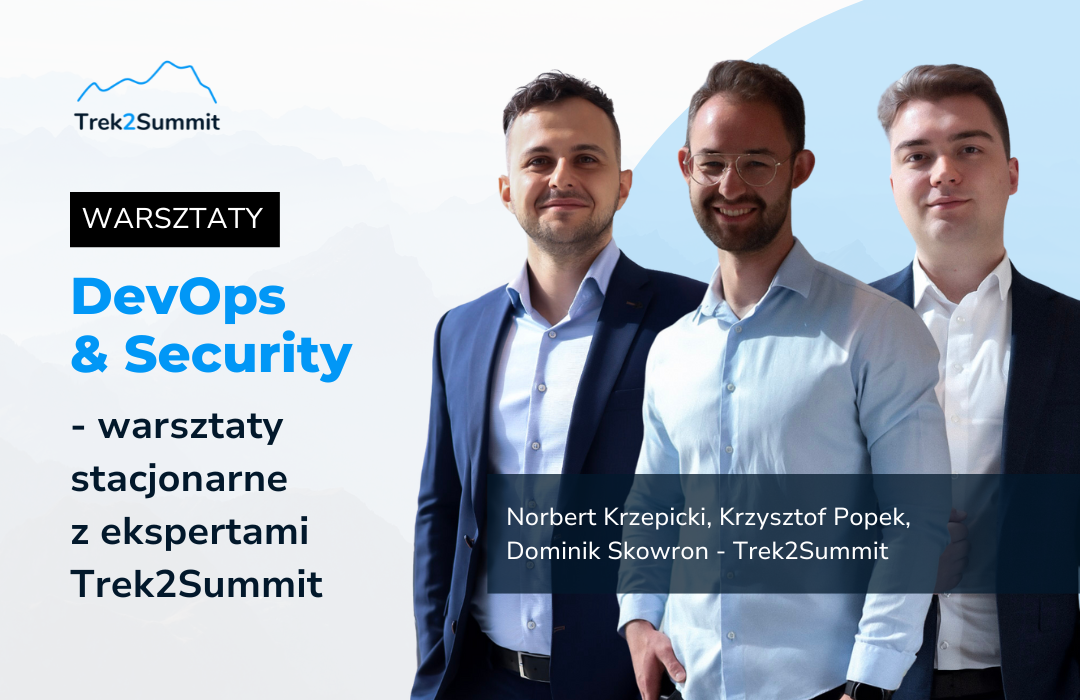
 June 4, 2025 (Wednesday)
 9:00 a.m. – 4:00 p.m. + networking evening from 4:00 p.m. to 7:00 p.m.
 biuro Microsoft Polska (Al. Jerozolimskie 195A, 02-222 Warsaw)
During the event, two workshops will take place in parallel (security track & devops track). The number of places is limited, registration via the form.
Please note! We will contact you to confirm your attendance. You will be able to participate in the workshops after receiving confirmation of your registration by contacting Trek2Summit.
DEVOPS PATH:
Building infrastructure in Azure using Terraform and GitHub (+GH Copilot Twist)
Host: Dominik Skowron – Microsoft Azure MVP, Head of Microsoft Technologies at Trek2Summit
📢 Join us for our GitHub workshop, which will be held at the Microsoft office!
The workshop will be very practical —we will focus on real-life scenarios of working with GitHub and Azure, without unnecessary theory.
We'll start with the basics: we'll create a GitHub account, discuss the available GitHub licenses, and then connect our repository to Azure using modern, passwordless OIDC (OpenID Connect) authentication.
Later on, we will move on to working in GitHub Codespaces, where we will create infrastructure code in Terraform, which we will automatically deploy to Azure using GitHub Actions. You will also learn about the capabilities of GitHub Copilot —an AI assistant that will help you write code faster and better. We will spend some time experimenting with its features.
Finally, we will create and deploy our own application on Azure App Service, and we will also discuss how to finance projects based on GitHub and Azure using Microsoft support programs.
The meeting will focus on learning about the tools and the entire process of automatically creating infrastructure and code based on Microsoft technologies!
✅ All you need is your own laptop and charger —we provide the rest: access to GitHub, Azure, and all the necessary tools.
🔒 The number of places is limited, so don't delay in registering!
Join us and learn how to build modern cloud environments in practice!
SECURITY PATH:
Cloud Security with Microsoft products
During the workshop, we will present practical tips on how to build a modern and secure remote working environment in your organization, including connecting computers directly to Entra ID, using Windows Autopilot for quick and convenient onboarding at home, integrating with Microsoft Defender, as well as quickly migrating from GPO to Modern Management and passwordless login using Windows Hello for Business.
With the growing number of digital threats, effectively protecting company resources is becoming an increasingly difficult challenge. During the workshop, we will show you how to configure Defender for Endpoint to protect Windows computers and mobile devices. During the practical part, we will show how Defender allows you to automatically isolate a device from the network if an incident is detected.
The goal of the workshop – transition to a cloud-native endpoint
Microsoft Intune
- Overview of key features – we encourage you to watch the recording
- Architecture
- Registration scenarios (Windows, Android, and iOS)
- Compliance policies
- Configuration and security policies
- Windows Hello for Business
- Proactive Remediation
- Installing the application
- Conditional access for compatible devices
- Windows Autopilot
- Demo – device onboarding with a focus on encryption policies, LAPS, application installation
- What's new – Windows 11 HotPatch, LAPS Automatic Account Management
Defender for Endpoint
- Overview of key features – please refer to the recording
- Integration with Intune and Defender for Cloud Apps
- Key settings (ASR, Tamper Protection, Cloud Delivered Protection)
- Configuring Defender on mobile devices
- Device Control, Applocker, and Application Control
- Advanced hunting and Custom Detection
- DEMO – isolation of the same test device after simulating an incident, phishing on a mobile phone
- Integration with XDR services
The workshops will be led by:
🎙️ Norbert Krzepicki – Security Architect at Trek2Summit
Experienced implementer, consultant, and trainer. I have over 10 years of experience in projects for the most demanding clients. On a daily basis, I conduct Threat Protection workshops in the area of Microsoft 365 XDR and Modern SecOps (Sentinel). I cover topics related to security – Defender for Endpoint, Vulnerability Management, security configuration, advanced hunting, Defender for Identity, Microsoft Entra ID Protection, Conditional Access, Defender for Cloud Apps, and, more recently, Defender for Cloud. I take a holistic approach to Microsoft 365 security. In terms of projects, I most often conduct independent implementations of Defender for Endpoint in large companies in Poland, as well as provide consulting in the area of Microsoft Intune for managing workstations, mobile phones (Apple Business Manager, Google Zero Touch), and macOS. I carry out migrations from traditional management (GPO, MCM) to Cloud Native Endpoint with Intune and Windows Autopilot. Everything related to user hardware (configuration and security) is within my area of interest.
🎙️ Krzysztof Popek – Cybersecurity Digital Advisor at Trek2Summit
A Microsoft technology enthusiast with over five years of experience. I am known for my reliability and individual approach to each client. Throughout my career, I have had the pleasure of working with many companies from all sectors, providing my services as a consultant and project manager. My experience will be helpful to you in both cloud and on-premises environments. Cybersecurity is a frequently used term in the IT environment these days, so I will show you what you can gain by implementing products from the Microsoft Security portfolio in your organization.
Workshop agenda
|
|
| 8:45-9:00 a.m. – Registration | 8:45-9:00 a.m. – Registration |
| 9:00-9:15 a.m. – Networking | 9:00-9:15 a.m. –Networking |
| 9:15-9:45 – Opening of the Security Workshop | 9:15-9:45 a.m. – Opening of the GitHub Workshops |
| 10:00-11:30 a.m. – Microsoft Intune | 10:00-11:30 – GitHub Platform |
| 11:30-11:45 – coffee break | 11:30-11:45 – coffee break |
| 11:45 a.m.–1:00 p.m. – Defender for Endpoint | 11:45 a.m. to 1:00 p.m. – Practical Part |
| 1:00 p.m. to 2:00 p.m. – Lunch and Networking | 1:00 p.m. to 2:00 p.m. – Lunch and Networking |
| 2:00 p.m. to 4:00 p.m. – Microsoft Purview | 2:00 p.m. to 4:00 p.m. – Practical Part |
| 4:00 p.m. – 7:00 p.m. – Networking Evening (Restaurant) | |